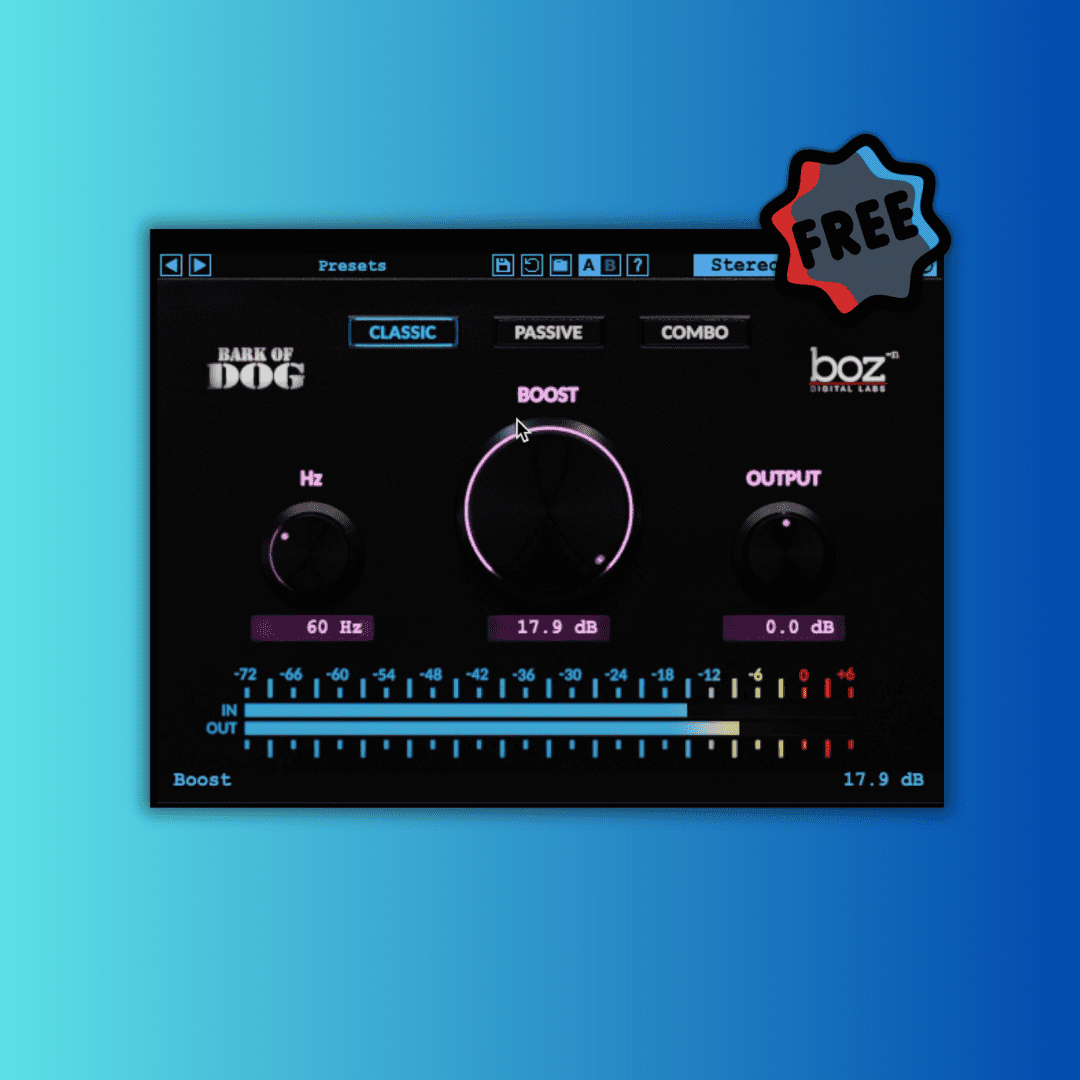
Recently, I had the opportunity to test the Mode – Bark of Dog 2 plugin on Logic Pro, using my Mac M1 in Rosetta mode. I have to say, the experience was incredibly positive, and I’d like to share some of my observations and impressions.
Three Operating Modes
Bark of Dog 2 offers three distinct operating modes: Classic, Passive, and Combo. These modes are easily switchable, allowing me to quickly compare which sound best suits my track.
- Classic: This mode uses the same algorithm as Bark of Dog version 1, which is a resonant high-pass filter. It’s perfect for getting rid of super low frequencies without thinning out the essential low end. I found this mode particularly useful for cleaning up vocal tracks and acoustic instruments, while still maintaining a rich, deep sound.
- Passive: This mode acts like a classic EQ that lets you boost and attenuate frequencies at the same time. It simultaneously applies a boost and a cut, giving that classic low-end enhancement without becoming muddy. I used this mode on bass tracks and was impressed by the added clarity and definition it provided.
- Combo: This mode combines the passive mode with an additional high-pass filter. I noticed that the passive mode can cause excessive low-end buildup when pushed too hard. The combo mode was my favorite for kick drum tracks, where I wanted to maintain the punch of the low frequencies without overloading the overall mix.
Using the Controls
- Hz: This knob controls which frequency the plugin will affect. I found it essential for pinpointing and sculpting the specific low frequencies I wanted to emphasize or attenuate.
- Boost: This controls how much the plugin will boost the frequency set by the Hz knob. Using this control, I was able to add more impact to bass and kick drum tracks without risking mix clipping.
- Output: This control is vital for managing the output gain of the plugin. When boosting low frequencies, it’s easy to run into clipping. With this control, I managed to keep the signal level in check, ensuring a clean and balanced mix.
Final Thoughts
One of the best strategies I discovered was using different modes on different tracks. For instance, applying the Passive mode on the bass while using the Classic mode on guitars added heft to both without creating conflicting low frequencies. This approach significantly improved the clarity and depth of my mix.
In conclusion, Bark of Dog 2 on Logic Pro in Rosetta mode proved to be an incredibly versatile and powerful tool for managing low frequencies. Whether you’re looking to clean up a mix or give more impact to your tracks, this plugin offers effective and easy-to-implement solutions. I highly recommend giving it a try to see how it can enhance the quality of your work.