Unlocking Perfect Reverb for Lead Vocals: The Power of Algorithmic Reverb”
Hey Plugheads! 🎛️ When it comes to getting that killer vocal sound, reverb can be your best friend or your worst enemy. Today, we’re diving into algorithmic reverb—one of the best tools for creating lush, clear, and professional-sounding vocals. Let’s break down why it’s so good for lead vocals and how you can get the most out of it!
Why Algorithmic Reverb Is Ideal for Vocals
Algorithmic reverb is great because it gives you tons of creative control and clarity. Unlike other types, like convolution reverb that uses real recorded spaces, algorithmic reverb lets you dial in the exact space you want, which is perfect for vocals. Whether you’re going for a natural room sound or something more epic, this type of reverb can help you get there.
How to Dial in the Perfect Vocal Reverb
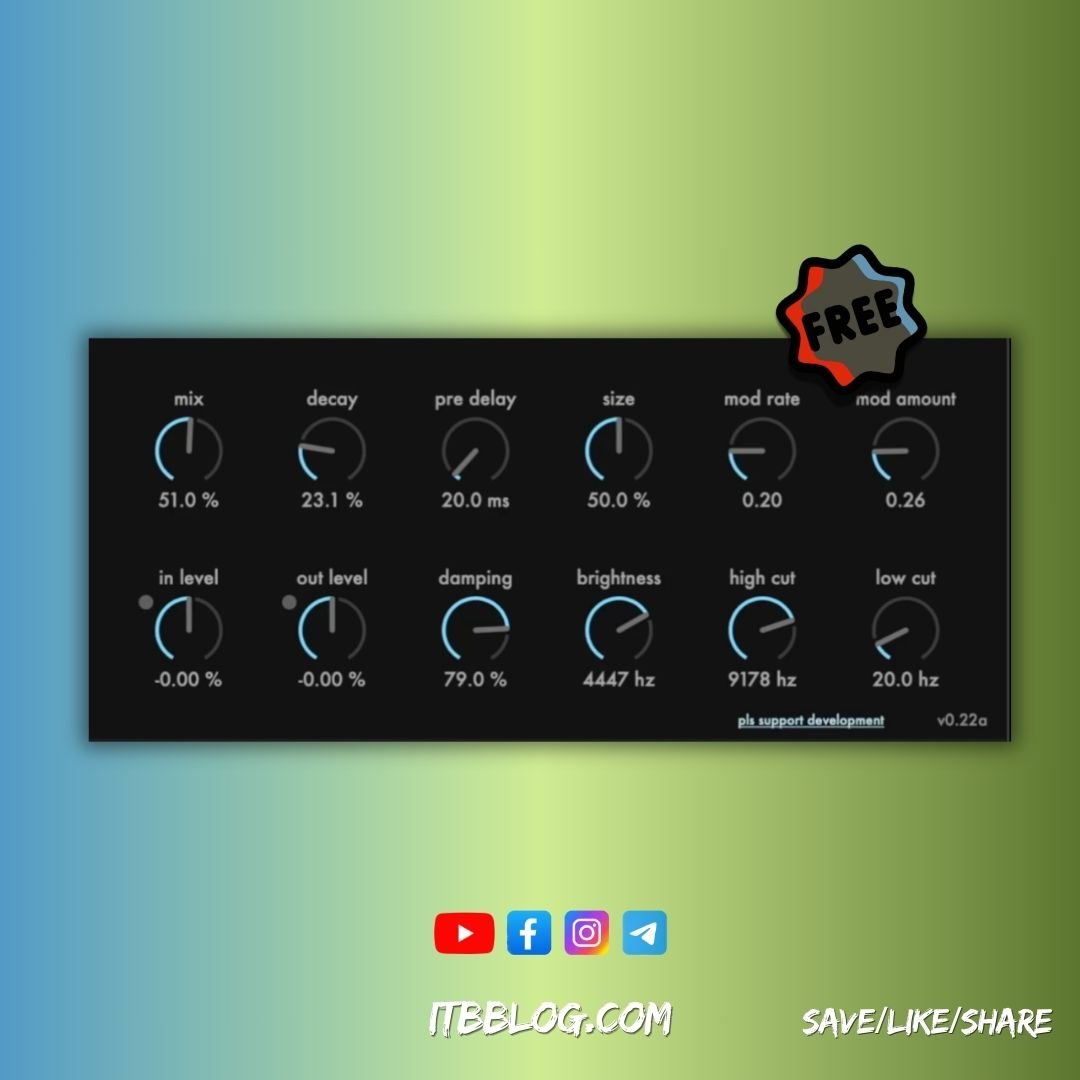
If you’re working with a plugin like GreverbALPHA by Mikhail Sagov, here’s a breakdown of the key settings to get that vocal reverb just right.
- Decay (in %)
The Decay setting here is in percentage. Aiming for 30-50% on vocals is a solid start—it gives the reverb a nice tail without taking over the mix. - Pre-delay
This is the short gap before the reverb kicks in. Setting it around 10-50 milliseconds keeps the vocals sounding clear by separating them from the reverb effect. - Size
Size changes the “space” of the reverb. For vocals, a medium size keeps things controlled but still spacious. - Mod Rate and Mod Amount
These control the modulation of the reverb tail. Keep them subtle for vocals to prevent the reverb from sounding “wobbly.” - Damping
Damping controls how quickly high frequencies in the reverb decay. Adjust it to warm up or smooth out the vocal sound based on the track’s vibe. - Brightness
Brightness affects how “sparkly” or dark the reverb sounds. Higher brightness works well if you want the reverb to stand out, but for lead vocals, find a balance that enhances without distracting. - High Cut and Low Cut
High cut and low cut are essential for keeping your mix clean. Use the high cut to reduce harshness and the low cut to remove any muddy low-end rumble.
Quick Tips for Using Algorithmic Reverb on Vocals
- Start Small
Less is more with reverb on lead vocals—just enough to give them depth and space. You want the vocal to stay upfront and clear. - Experiment with Pre-delay
Short pre-delays make the vocal feel closer, while longer pre-delays push it back a bit. Adjust to taste! - Use Damping and Brightness to Fit the Mix
For warmer tracks, lower the brightness and increase the damping. For bright, punchy mixes, a bit more brightness on the reverb might work wonders.
Now go ahead and give it a try, Plugheads! With these tips, your lead vocals will sound polished, spacious, and pro. Let me know how it works for you and drop a comment if you have any reverb questions.
Stay tuned for more tips and tricks—keep creating! 🎚️🎶




Hey there great blog! Does running a blog like this take a great
deal of work? I have virtually no understanding of coding but I was hoping to start my own blog in the near future.
Anyway, if you have any recommendations or techniques for new blog
owners please share. I know this is off topic but I simply had to ask.
Cheers!
Hey, thanks for the compliment! Running a blog can definitely take a lot of work, but it’s also incredibly rewarding. The time and effort vary depending on how much content you’re producing and how much you want to customize things.
Since you’re new to blogging, here are a few recommendations for getting started:
Choose the Right Platform: If you’re not familiar with coding, I recommend using a platform like WordPress, which has a user-friendly interface and tons of templates to choose from.
Focus on Content: The most important thing is creating content that resonates with your audience. Don’t worry too much about coding in the beginning—focus on writing posts, creating visuals, and building your brand.
Learn Basic SEO: This will help your blog get noticed by search engines. SEO is key to ranking higher in search results. You don’t need to be an expert, but learning the basics will definitely help.
Be Consistent: Consistency is key in blogging. Set a schedule that works for you, whether it’s once a week or a couple of times a month. Stick to it!
Promote Your Blog: Use social media, email lists, or even collaborations to get your blog in front of more people. Don’t just rely on organic search.
Stay Authentic: Find your voice and stay true to it. Readers appreciate authenticity, and that’s what builds a loyal audience.
Feel free to ask if you have any other questions—best of luck with your blog! You’ve got this!