Complete and Practical Guide to the ZL Equalizer 2: the Free EQ I Use Every Day in the Studio
Over the years I’ve tested dozens of equalizers, both free and paid, but very few impressed me as much as ZL Equalizer 2. This plugin is completely free, lightweight, extremely powerful, and capable of competing with professional EQs that cost hundreds of dollars.
In this article, I share my personal experience: how I install it, how I set it up, which modes I prefer, and how I use it daily in my mixing and mastering sessions.
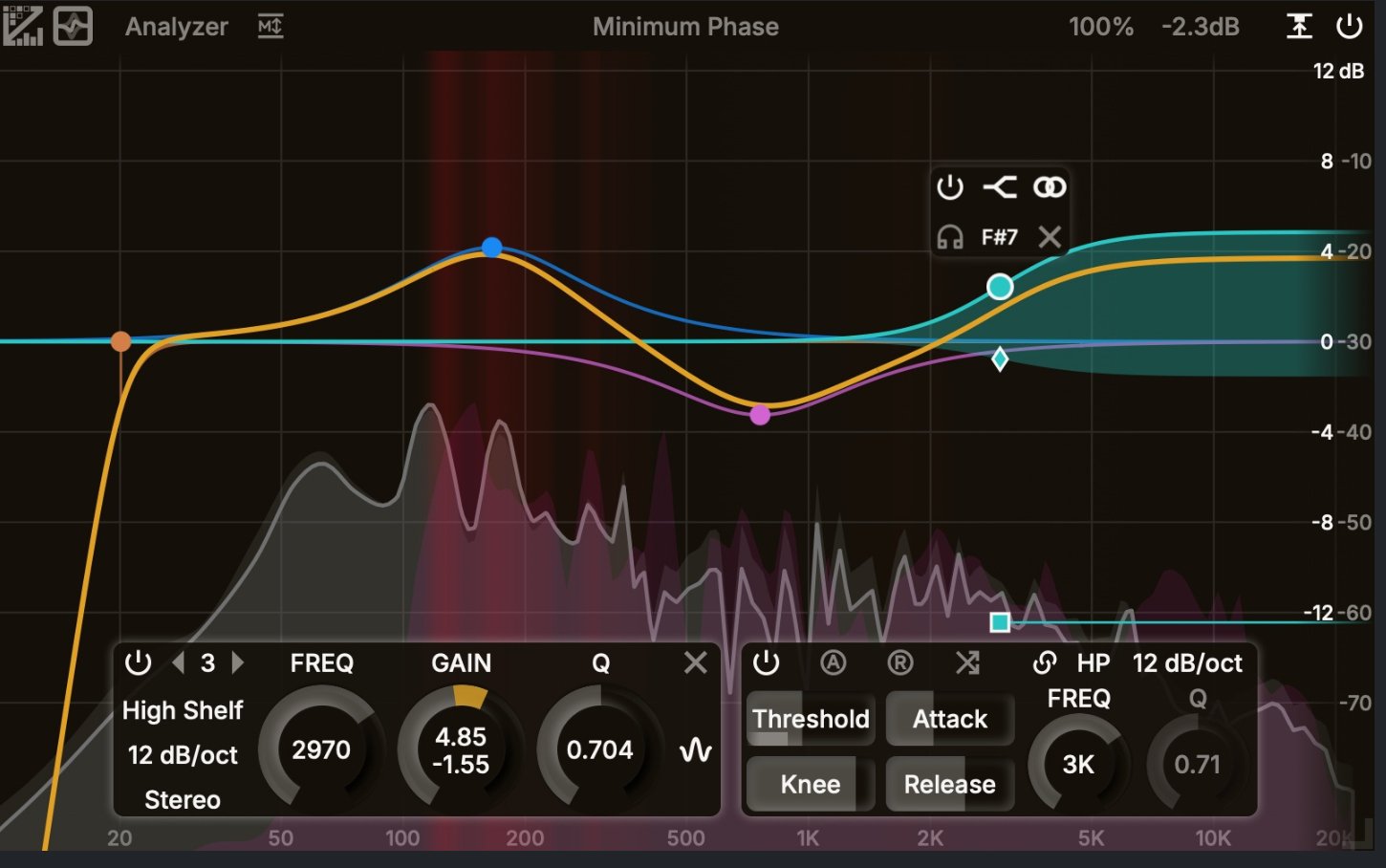
Installation and First Impressions: a Modern and Flexible GUI
ZL Equalizer 2 is available for Windows, macOS, Linux, and ARM, meaning it runs perfectly on Apple Silicon and Raspberry Pi as well. Installation is quick and straightforward.
Right after opening it, the first thing that stands out is its fully customizable interface:
- resizable window
- adjustable color palette
- mouse wheel sensitivity control
- adaptable refresh rate, even for 4K monitors
It also includes a very accurate spectrum analyzer with three response speeds (fast, slow, very slow) and a collision mode designed to highlight overlapping frequencies between different tracks.
Filter Modes: an Arsenal Beyond a Standard Equalizer
One of the reasons I consider this plugin so powerful is the variety of processing modes available. Each one behaves differently and allows a tailored approach depending on the situation.
Here are the main ones:
Minimum Phase
This is the mode I use the most. Natural sound, minimal phase rotation, and predictable results.
State Variable
Great for drastic corrections and fast automation. It introduces more phase rotation, so I use it selectively.
Parallel
Parallel processing for shelf and peak filters. Excellent for dynamic EQ work. The visual graph might not perfectly reflect the actual effect, so trusting your ears is key.
Matched Phase
Simulates analog EQ behavior with a warmer character. It adds 11–22 ms of latency, so I avoid it in sessions with heavy automation.
Mixed Phase
Similar to Matched Phase but more aggressive, with around 50 ms of latency. Ideal for high frequencies, especially above 5 kHz.
Zero Phase (Linear Phase)
Perfect for mastering. It avoids distortion but still produces slight phase rotation under 200 Hz due to mathematical limitations.
EQ Points, Filters, and Dynamic Controls
Using the plugin feels natural. With a double-click I can create a point and instantly adjust:
- frequency
- filter type (low-pass, high-pass, notch, band-pass, shelf, tilt)
- bandwidth
- musical note reference
I can also solo any frequency band and choose to work:
- in stereo
- left only
- right only
- mid
- side
Up to 23 EQ points can be created, and I can navigate between them with arrow keys.
Every point can turn into a dynamic EQ band, with full control over:
- threshold
- attack
- release
- knee
- absolute or relative threshold
- external sidechain
The sidechain function allows extremely intelligent processing, such as shaping the transient of a kick drum based on the content of another track.
Gain Management and Loudness: Goodbye “Volume Bias”
One of the features I appreciate most is the automatic gain compensation system, designed to avoid the classic “louder is better” trap.
There are three modes:
- Simple Gain
- L Mode, which analyzes input and output loudness
- GC Mode, a leveller-style behavior that keeps volume constant
GC Mode alters the signal’s dynamics, so I use it sparingly.
ZL Equalizer 2 also makes it easy to identify frequency collisions between instruments. This is extremely useful in complex mixes for creating space between vocals and piano, kick and bass, or other elements that fight for the same frequency range.
Conclusion: a Professional, Free, and Essential Tool
After using it every day, I can confidently say that ZL Equalizer 2 has become one of my main EQs.
For most tasks, it fully replaces paid tools like ProQ4. While commercial plugins may offer advanced features such as FIR compressors, those are useful only in very specific situations involving problematic recordings.
Spectral compression tools aren’t meant for constant use anyway—they can be overly aggressive on the audio signal.
Considering the ZL Compressor as well—essentially a free alternative to Pro C2—these two plugins form a lightweight, professional pairing that I rely on daily.


🚗 Need a quick adrenaline rush between tasks? Dive into Chase Rush—a high-speed survival driver where you thread traffic, dodge hazards, and stretch your run with razor-clean lines; perfect for short sessions, instant restarts, and PB hunting; pro tip: manage risk with late lane-swaps and save boosts for chained escapes; think you can outlast my streak? drop your best time and prove it.